Homepage is the first point of contact for users and sets the tone for their overall experience. This project focuses on refreshing the first fold of the homepage to make it more visually engaging, intuitive, and actionable. At the same time, it ensures that all key features are clearly visible, usable, and adaptable across edge cases.
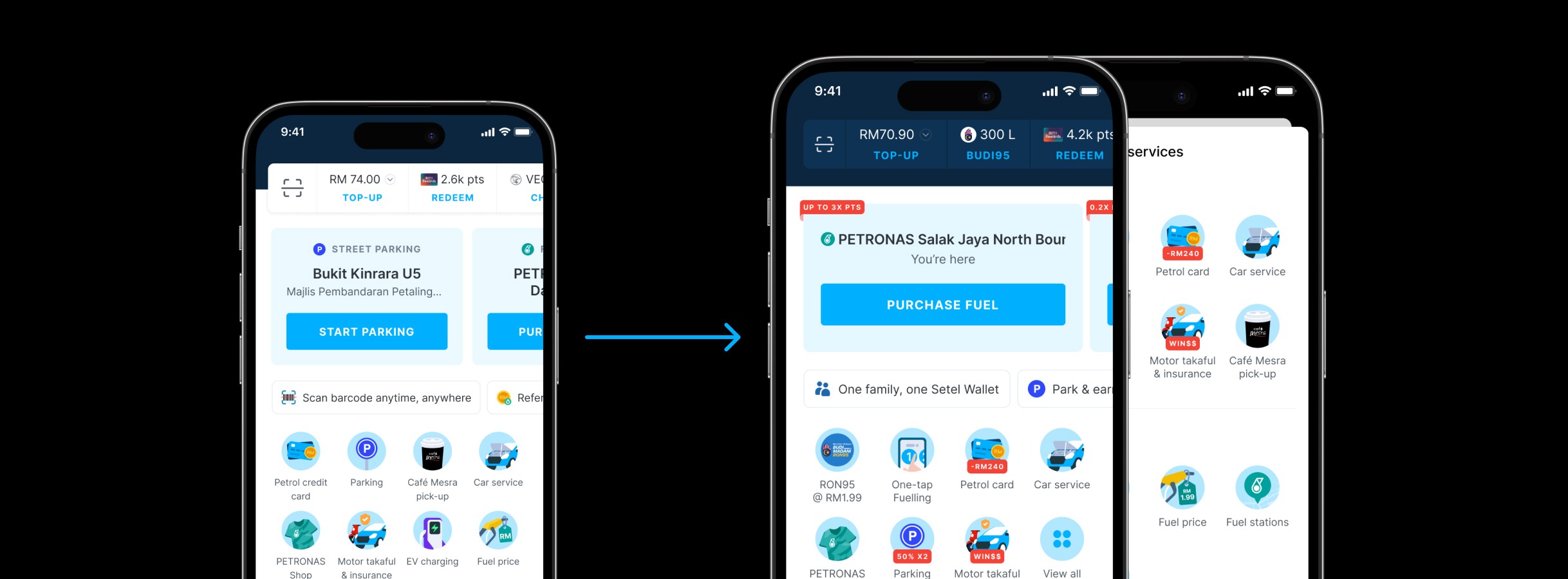
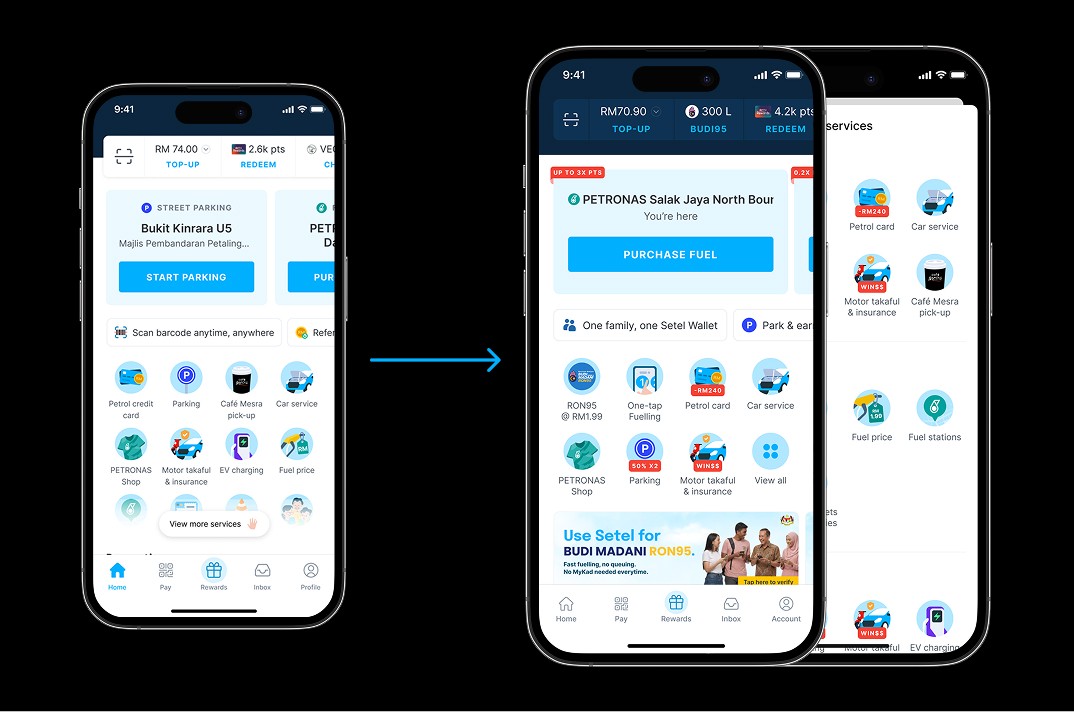
With multiple sections competing for attention, inconsistent UI patterns and business owners wanting to surface their products upfront, the content hierarchy felt scattered. As a result, key feature journeys were hidden, making it difficult for users to focus, navigate, and engage with high-value interactions.
Improve feature experience and logic on the homepage as the main entry point
Ensure consistent use of the design system across the homepage
Simplify content structure to create a clearer hierarchy
Balance user focus with business needs in surfacing key products visibility
Started by analysing the homepage end-to-end to identify key sections requiring improvement. The review covered not only ideal user journeys, but also edge case scenarios, such as when dynamic or non-persistent UI elements appear within a section, to ensure a more robust and consistent experience.
Content structure
Since the homepage consists of both fixed and dynamic content sections, I started by mapping out all sections to understand their behaviour, dependencies, and states. This helped identify inconsistencies and opportunities to refine the UI, ensuring each section adapts appropriately while maintaining a cohesive visual system.
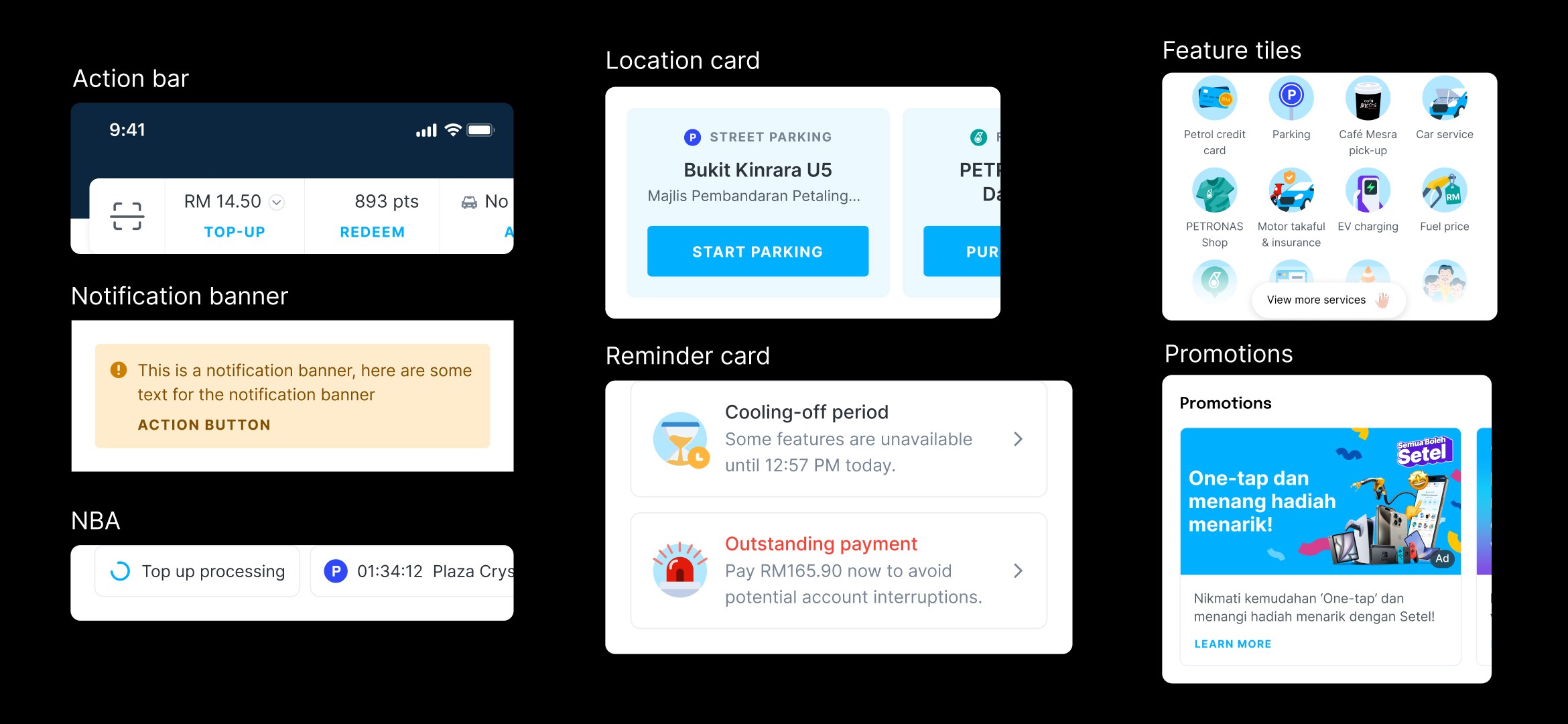
First fold content section
Action bar – Quickly switch payment methods or vehicles
Notification banner – Alerts for payment downtime or app issues
Location card – Shows nearby services for quick access
NBA (Next Best Action) – Suggests next actions or upsell opportunities
Reminder card – Highlights important account updates
Feature tile – Entry points to all business products
Now it’s time to merge and restructure everything into a cohesive homepage story. The layout is divided into two main sections, the top focuses on user-related, day-to-day interactions, while the bottom highlights business-driven content. This separation creates a clearer homepage structure, with distinct focus areas that guide users through the experience.
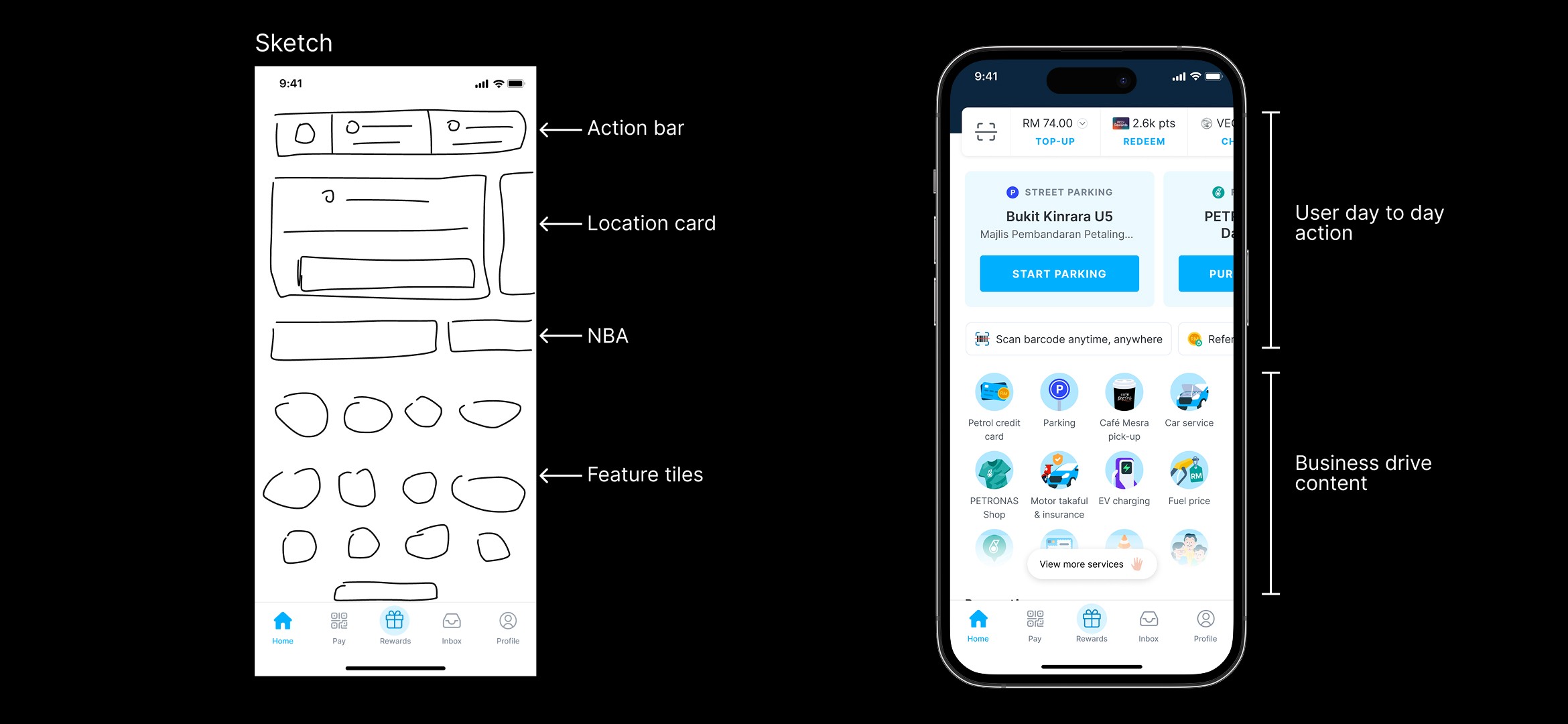
For dynamic content, I chose to merge it into the user area since it has the highest priority and needs to be clearly visible to capture users attention and drive action. While still keeping business-driven content sufficiently prominent.
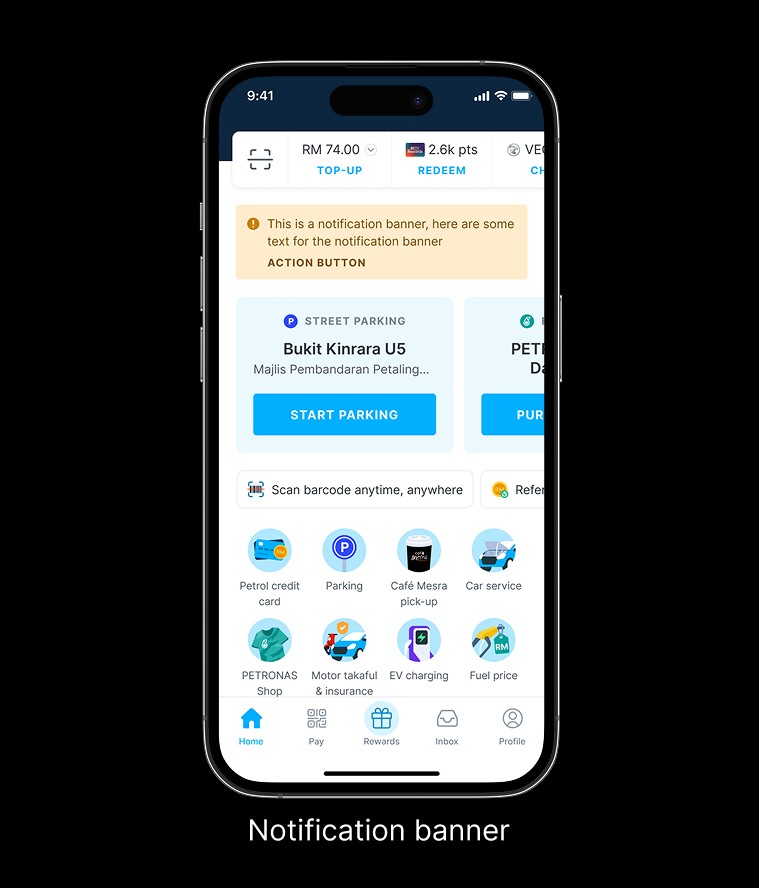
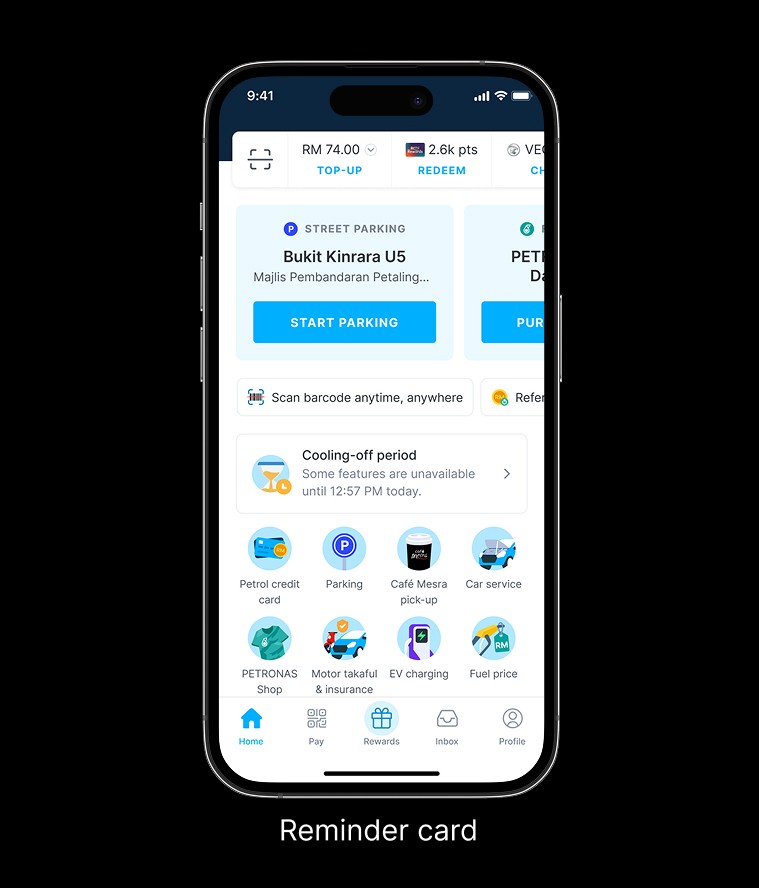
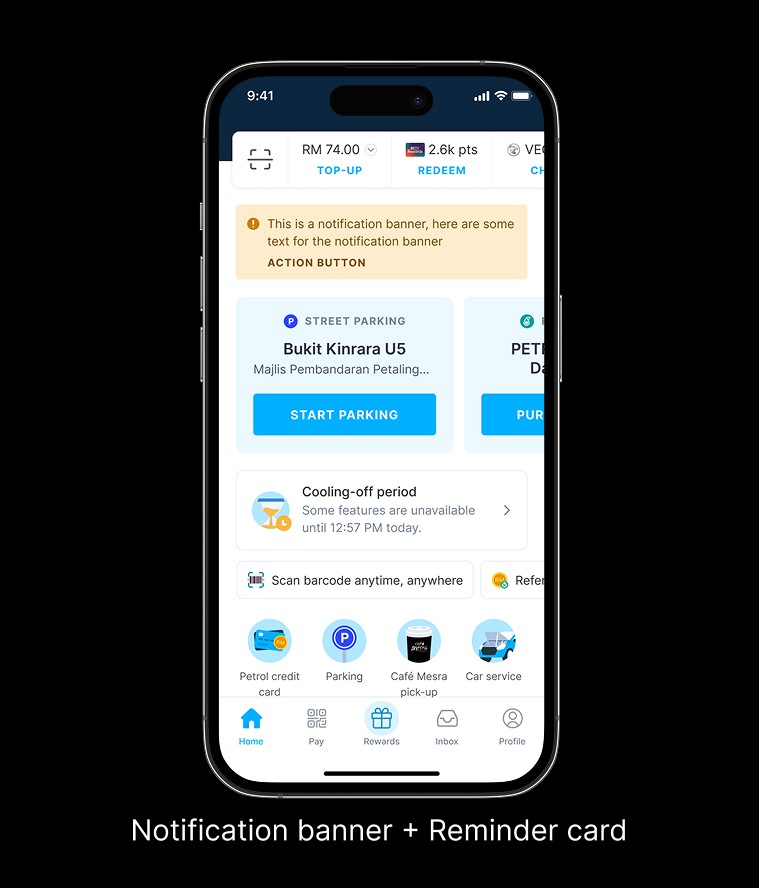
Action bar
A refreshed and slightly more compact layout is needed to align with the updated design system, including spacing, typography, and colour. The goal is to reduce the section height, bringing the lower content into view, while retaining familiar patterns that users are already familiar to.
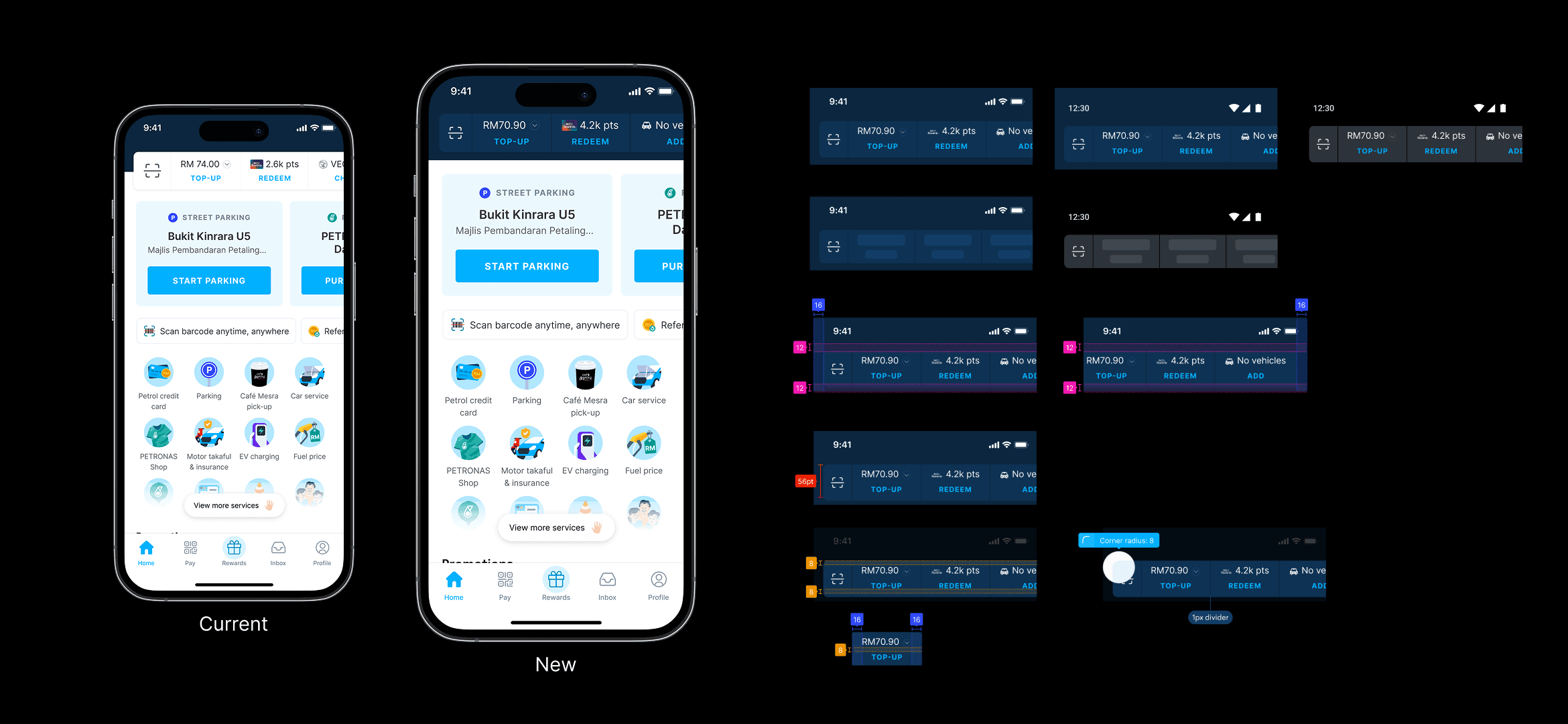
By moving away from the floating action bar style, this section reduces its height while creating clear separation through stronger contrast.
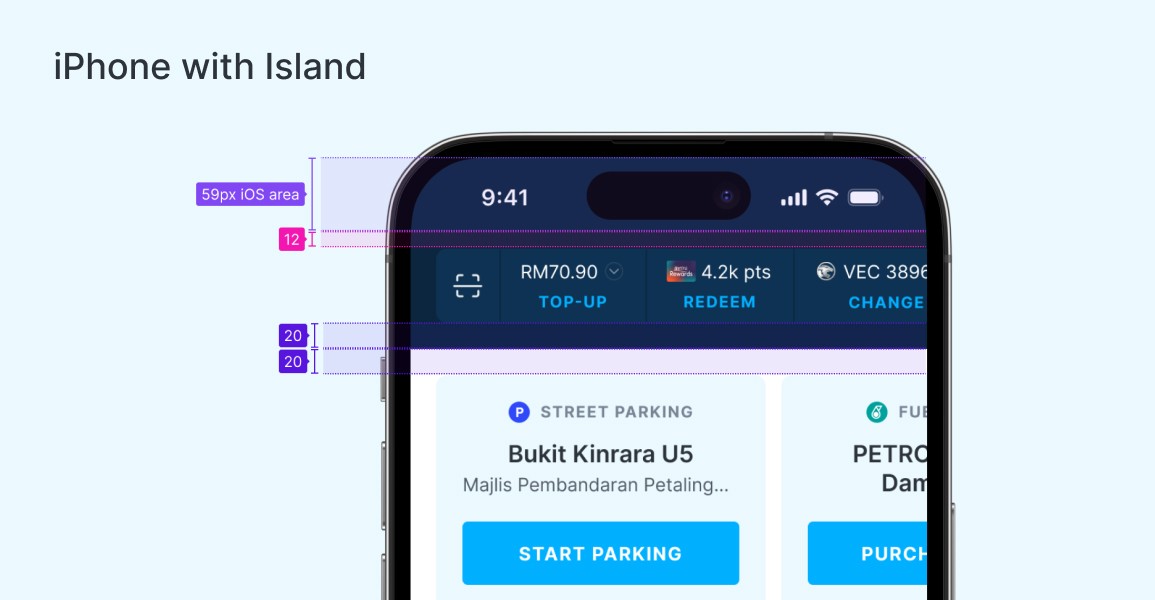
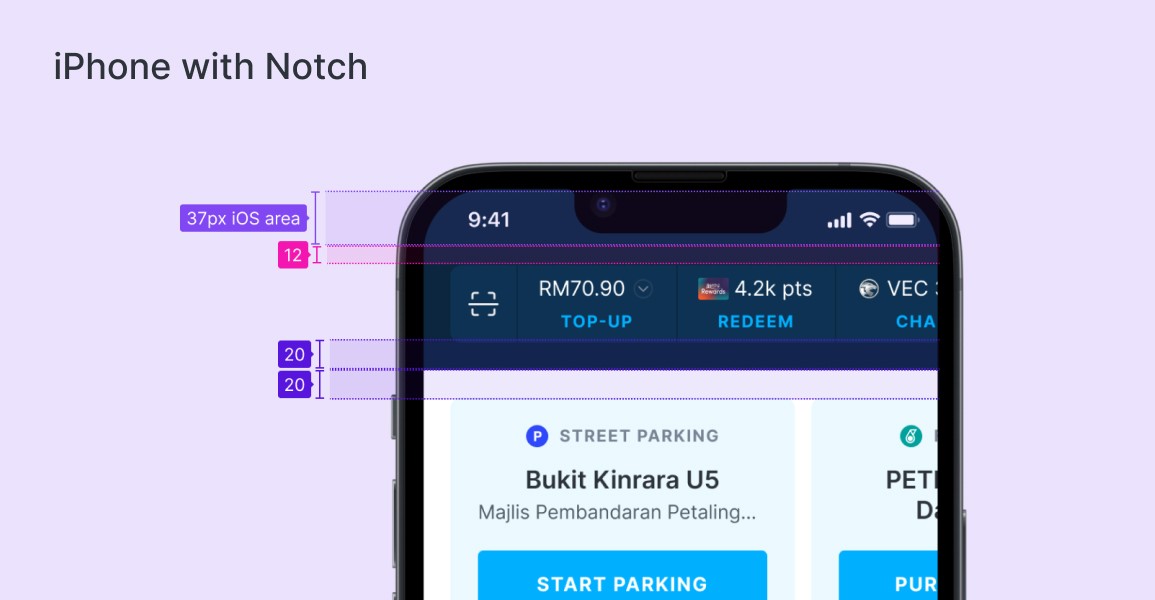
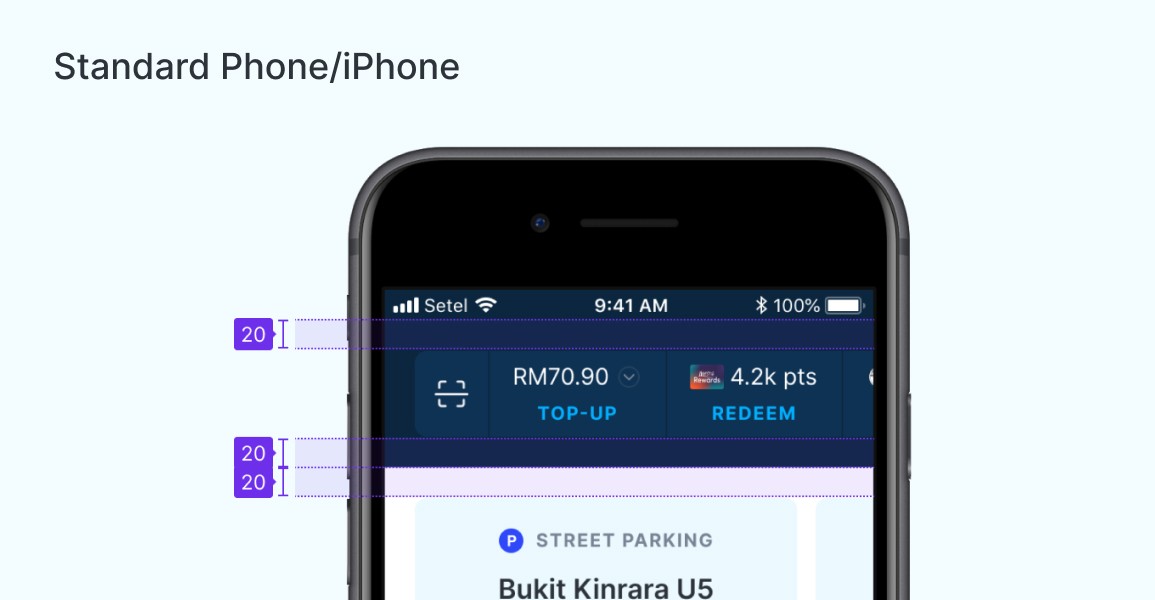
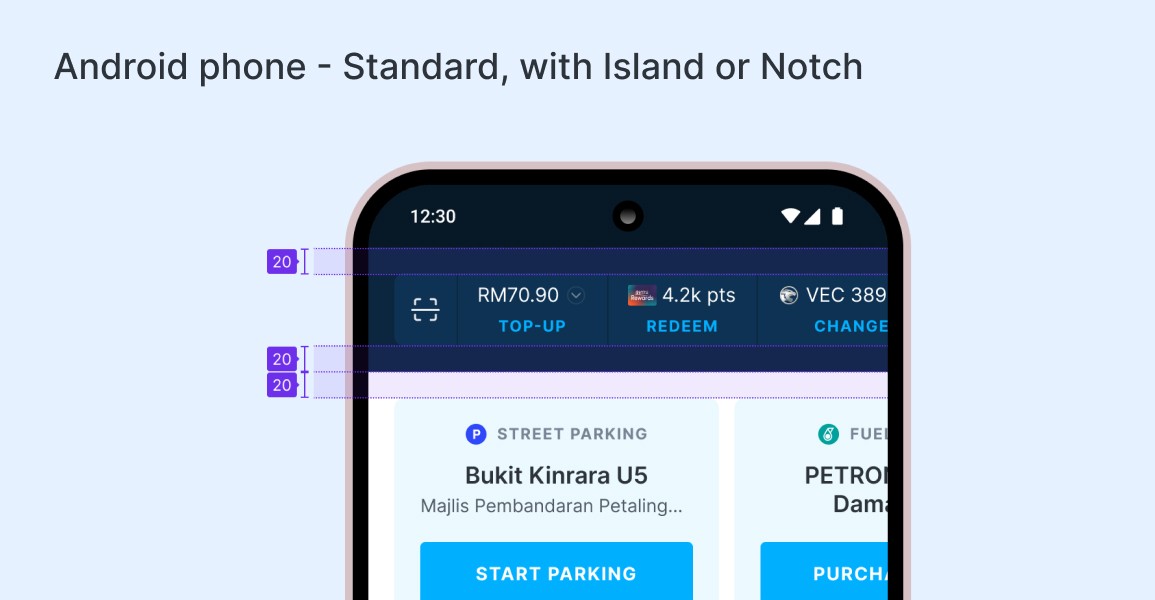
Since the pattern remains the same, I took the opportunity to refine the top spacing. This ensures consistent negative space across different devices, accounting for variations in screen sizes and OS behaviours.
Location cards
The existing UI needs improvement as it feels overly cramped with too much information, creating an imbalance between visual design and content. This makes it harder for users to quickly scan and digest the information.
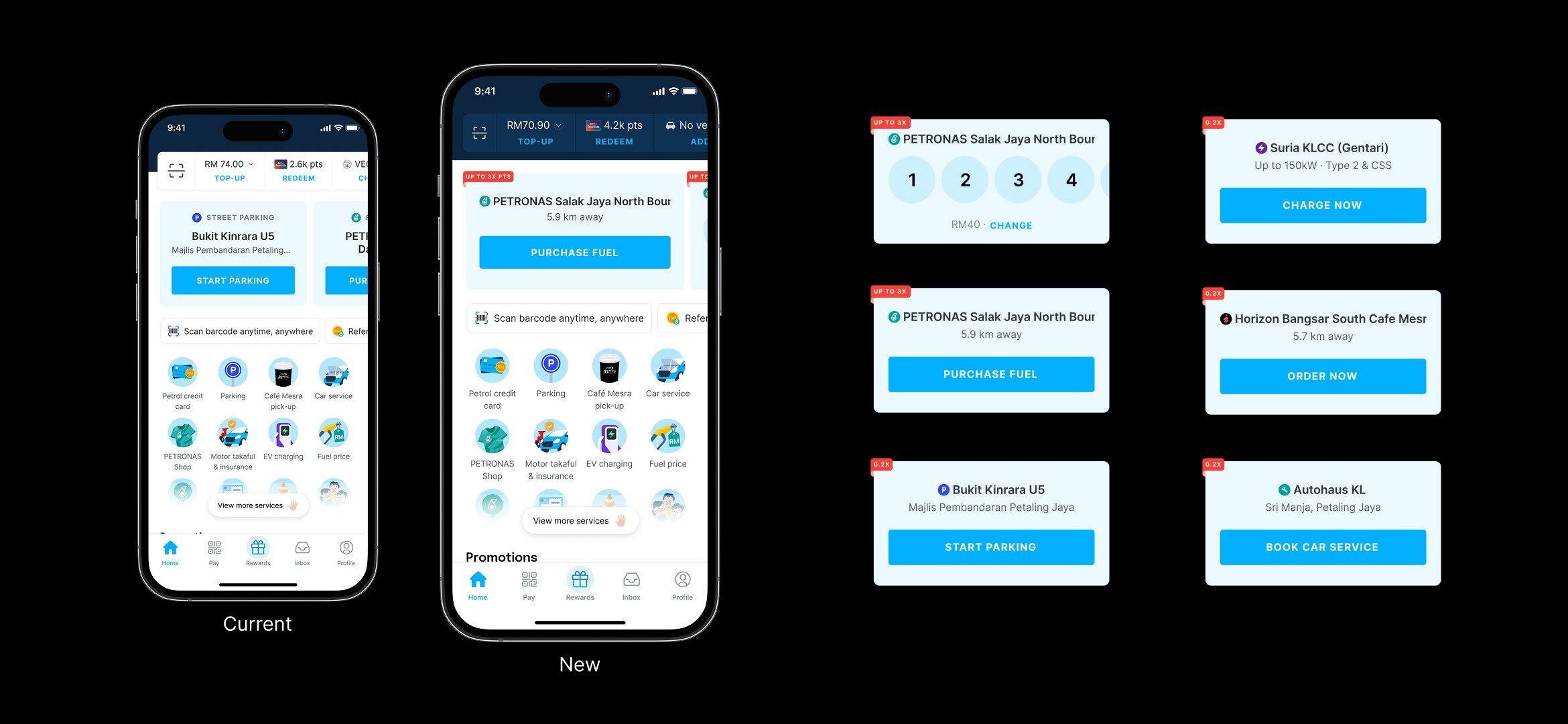
New cards logic
Location cards carry the most complex logic. It appear when a user enters a defined location radius, this is the core trigger. On top of that, its behaviour is further shaped by personalisation and the hierarchy of product and service priorities.
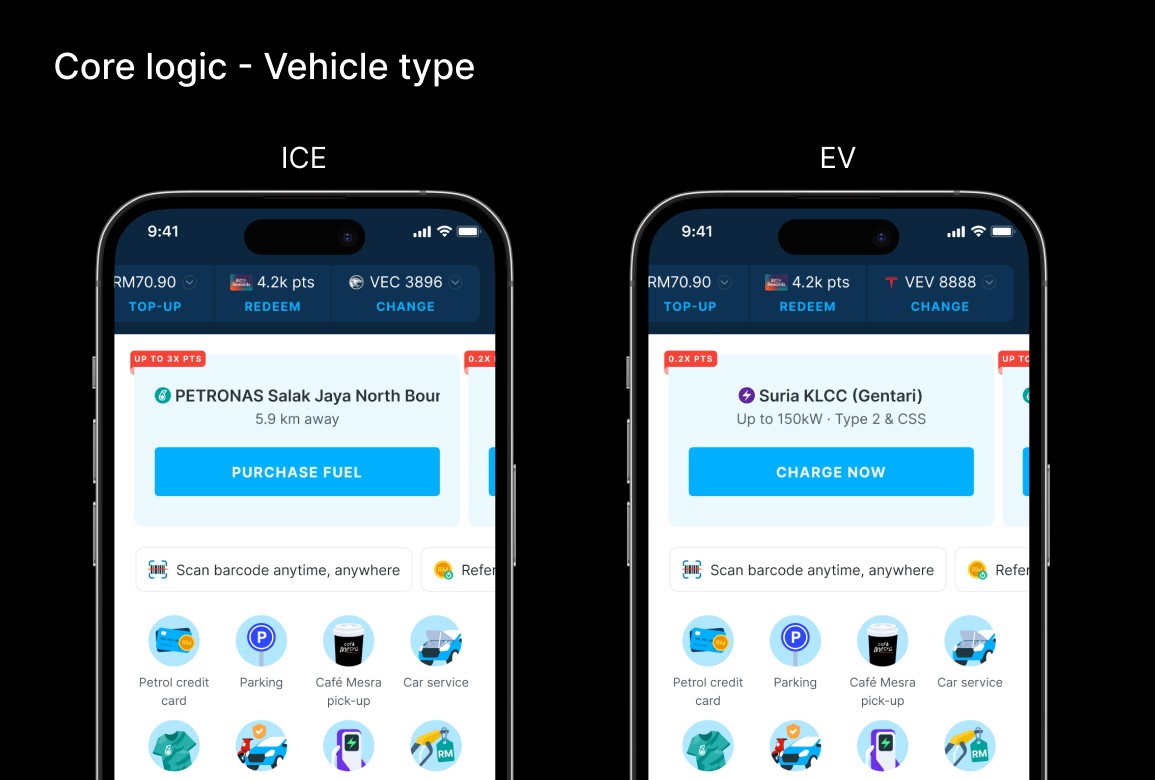
Core logic
The main logic is tied to core business services, Fuel first, followed by EV. These two services are always displayed side by side.
Priority is determined by the user’s vehicle type set in their profile,
If the vehicle is ICE, the Fuel card appears first, followed by the EV card.
If the vehicle is EV, the EV card appears first, followed by the Fuel card.
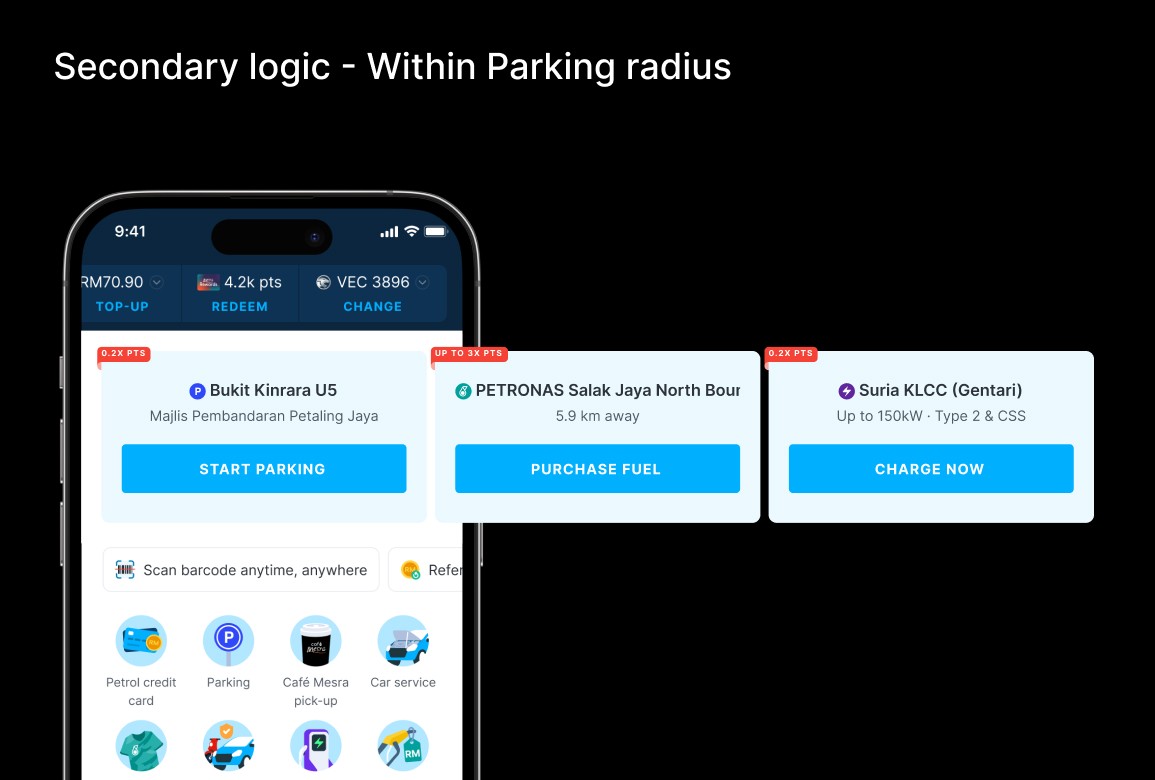
Secondary logic
Secondary logic applies to other services. These cards can move to the top of the list to improve accessibility, so users don’t need to scroll. However, they only take priority over Fuel and EV when the user is within that specific service’s location radius.
Feature tiles
The current feature tiles styling feels overly attention grabbing, with each tile competing visually, especially with the gradient and “View more” treatment used to reveal hidden tiles.
The goal is to refresh this pattern so it better aligns with the overall homepage UI, reduces section height to surface more content upfront, and minimises visual noise, making the tiles less dominant and less likely to compete for user attention.
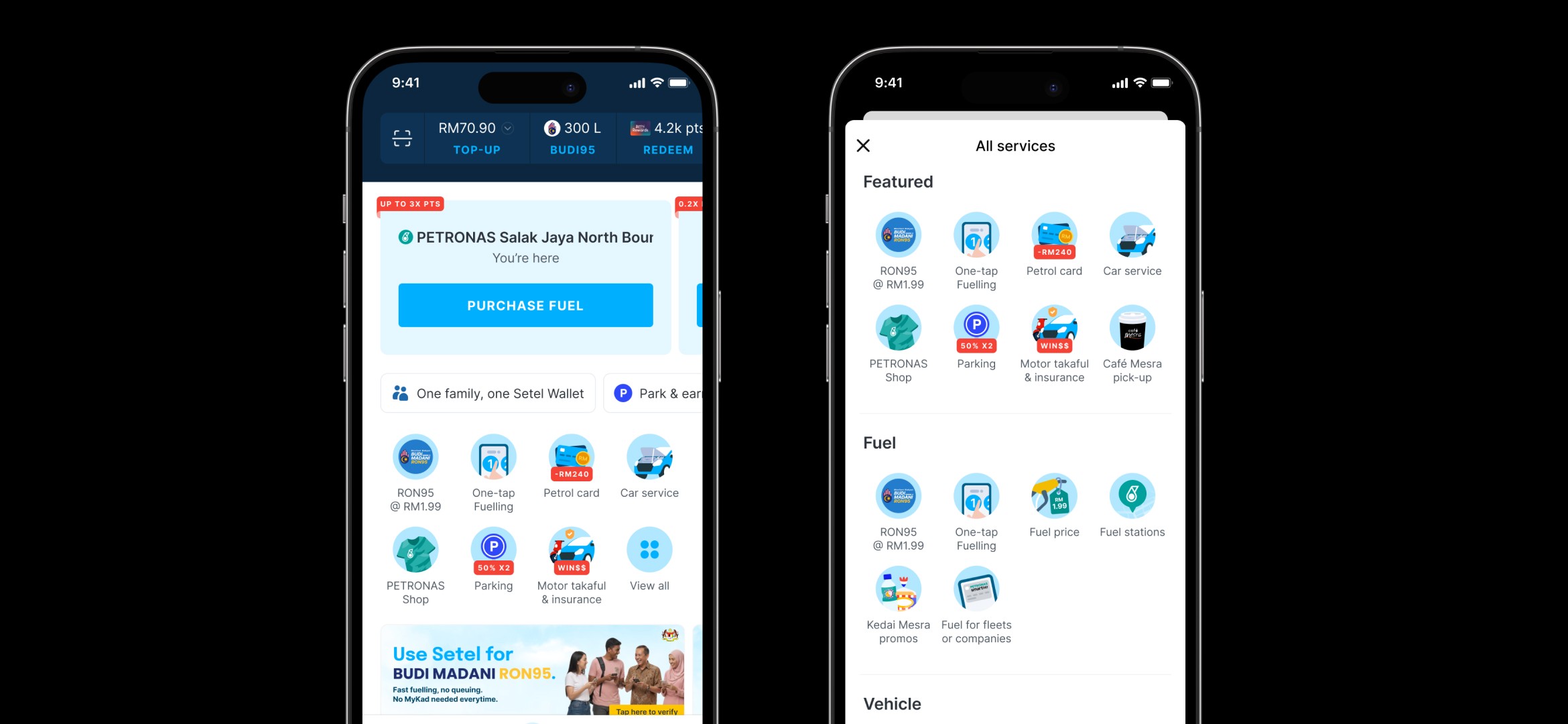
I introduced a dedicated “View more” screen to allow businesses to surface their products beyond the first fold, improving overall visibility and discoverability.
This creates a focused space for feature tiles, removing competition with other homepage elements and allowing users to engage more clearly with these services.
The homepage redesign significantly improved how users interact with core services by bringing clarity, structure, and focus to the experience.
Key outcomes included
Stronger engagement with key features
By restructuring the first fold and reducing visual competition, users are now naturally guided toward high-priority actions, resulting in more meaningful interactions with core services.Improved discoverability and reduced friction
Critical features that were previously hidden or competing for attention are now surfaced more intentionally, making it easier for users to navigate, understand, and take action without unnecessary effort.Established a scalable and future-proof foundation
The new layout introduces a clearer content hierarchy and modular structure, enabling the homepage to evolve more easily as new features and business needs are introduced, without compromising usability.